
Category > Editing

Learn how to Edit on Microsoft Word

Learn how to use many different editing features available to you in Word. Including:

  • How to add charts;
  • Searching your document for text;
  • How to sort paragraphs and headings;
  • Adding bookmarks;

and much more besides. Take a look at the different posts below and start accomplishing more in your document!

How to Remove a Footer in Word

How to Remove a Footer in Word

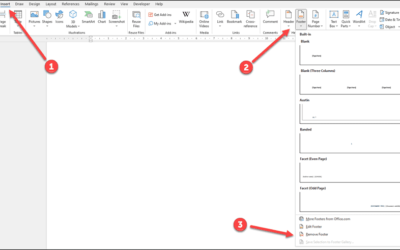
Do you have a footer or header in your document that you want to remove? Follow these easy steps to get it done quickly and easily. As well as this, I'm goiing to show you how to resize your margins so that your document will look good even without a header or footer....
read more

How to Remove Highlight in Word

If you ever copy text from a different source, you have probably faced having to remove the highlighting that comes with it. Learn how to remove highlighting in word in this post. As well as removing the highlight, learn how to highlight multiple things manually and...

read more

How to Rotate a Word Document

Sometimes you just need one portion of your document to be landscape instead of portrait. Other times you may want some of your text to be rotated. Is there a way to do this on Word? The answer to both of these questions is yes and I’m going to show you exactly how to...

read more

How to Make a Fraction in Word

You probably know that if you want to type in half, or three quarters, you can just do so and you will see that Microsoft Word makes it look good with superscript. However, is there a way of inserting equations into word and actually making them look good? Follow me...

read more

How to Line Up Text in Word

Need to know how to line up text in word? Learn how to align your text so that it looks the way you want it to. There are a variety of options when it comes to justifying your text and it’s a good idea to have a good grasp on them. From, left to right, right to left,...

read more

How To Remove Anchor in Word

If you have images in your document you may see an anchor next to the image that appears at the top of the paragraph. In this post, I’m going to explain the reason why it’s there and also how you can remove it as well as hide it. I’ll go through step by step how to...

read more